


Remove Wind Noise from Video Online
Upload a windy clip, hear 30 seconds with the gusts turned down free and with no signup, and keep your picture.
Original

Cleaned

Your cleaned preview plays here, next to the original
How to Remove Wind Noise from Video in 3 Steps
To remove wind noise from video is to lower the rumble, gusts and buffeting that wind puts on a microphone while keeping the voice. Here you remove wind noise from video without hunting for a quiet gap to sample.

Choose the windy clip
Drop in the MP4, MOV or WebM from your phone or camera. You see the cost in credits before anything is sent.

Hear the gusts drop
Press Preview to remove wind noise from video in the first 30 seconds, free and with no account. Switch between Original and Cleaned, and compare Full with Gentle.

Save the whole clip
Sign in to remove wind noise from video across its full length.
What Kind of Wind Noise Can You Remove?
Wind is not one sound. To remove wind noise from video well, we mixed the kinds that ruin outdoor clips under a clean voice and measured the result.

Gusts that come and go
Wind that swells for a second or two. With gusts as loud as the voice, Full took the pauses from -36 dB to -56 dB, but a word a gust drowned out stayed hard to hear.

Rumble and buffeting on the mic
When you remove wind noise from video, the low thump on the microphone goes first: even as loud as the speech, it fell to -55 dB in the pauses.

A steady breeze
It is simplest to remove wind noise from video when the breeze is steady, like a soft whoosh on a beach. In an earlier test the pauses fell from -19 dB to -57 dB.

Wind with a crowd or traffic
Real clips mix wind with other sound, and you can remove wind noise from video and the crowd in one pass. Beside a sports field, the quiet moments fell about 29 dB and all 55 words stayed.
Why Remove Wind Noise from Video Here
Editors can remove wind noise from video with a low cut and a noise print. Both take time, and gusts change too fast for one noise print to follow.
Made for wind that keeps changing
A noise print assumes the noise stays the same. Wind does not. Here you remove wind noise from video with no sample to pick, and the preview plays your own clip first.
Full for rumble, Gentle for faint voices
Full removes the most rumble. Gentle stops at about 20 dB and changes the voice less when you remove wind noise from video with strong gusts: about 2 dB against 3.5 dB.
Your footage stays on your device
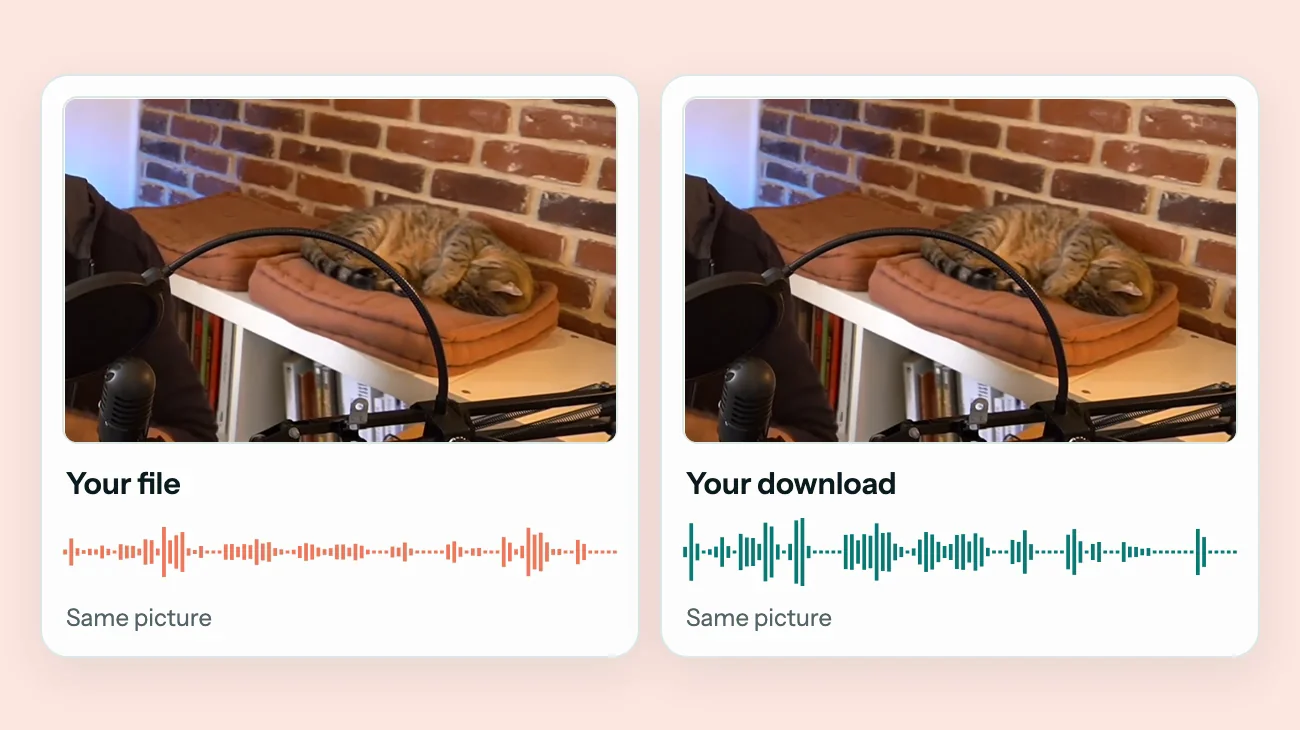
Only the sound and a few still frames are uploaded to remove wind noise from video. The picture never leaves your phone or laptop.

Same picture, clearer voice
Your browser puts the new sound back without compressing the picture again. You remove wind noise from video and keep the quality you filmed.
Voice brought back up
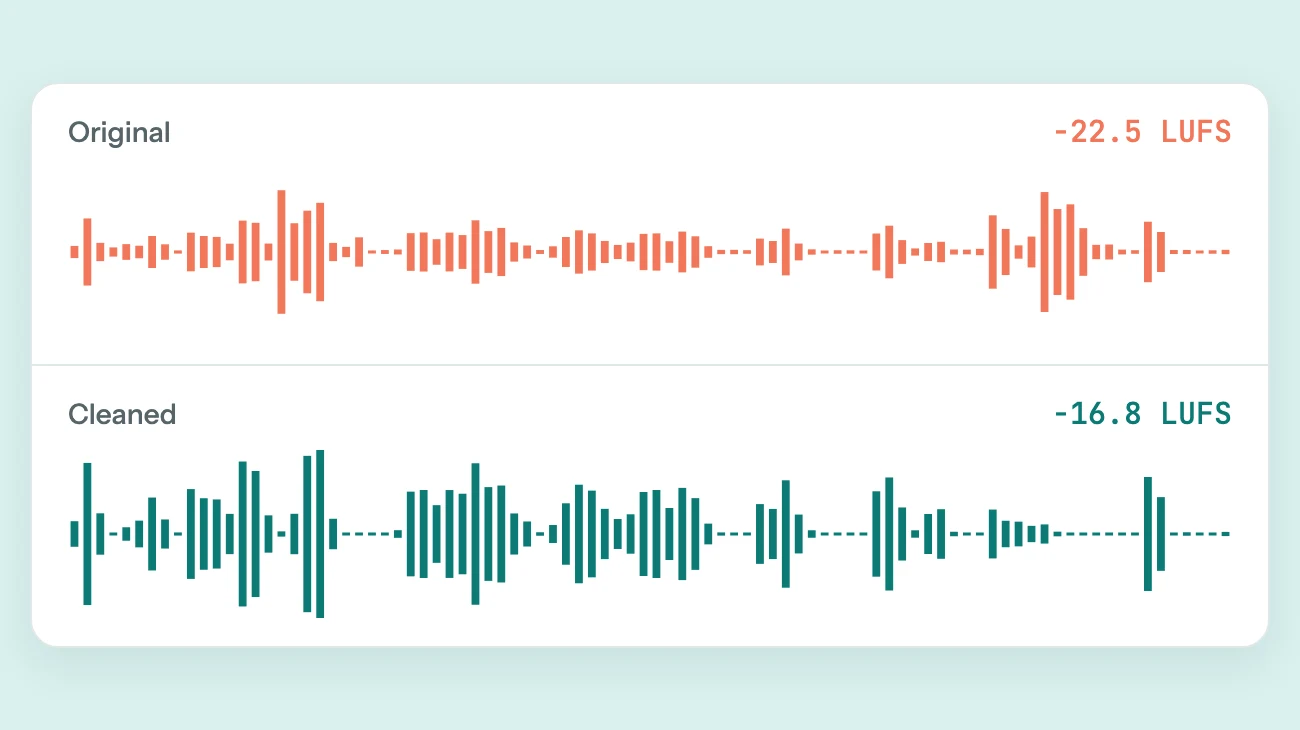
Strong wind eats into loudness. After you remove wind noise from video here, the voice is set to about -16 LUFS so it is not left quiet.
Before and after
Remove Wind Noise from Video: Before and After
Press play to hear how we remove wind noise from video. Two clips had wind added to a clean voice; the third is a real windy interview.
Gusts added to a voice
Swelling wind close to the voice's level. The gaps went quiet, but a word under a strong gust stays hard to hear.
Mic buffeting added to a voice
Low thumps as loud as the speech. The thumps dropped away and 41 of 43 words stayed clear to a transcript.
Real interview on a windy field
A coach talking after a match, with wind and crowd. The quiet moments fell by about 29 dB and every word stayed.



Sample recordings: Bukky658 (CC BY-SA 4.0), Bukky658 (CC BY-SA 4.0), Patrick Gillett (CC BY-SA 4.0)
Why Wind Gets into Your Clips, and How to Avoid It
Wind noise removal works best on clips that had a little protection. Before you need to remove wind noise from video again, try these on your next take.

No windscreen
A foam cover helps in a breeze; a furry windscreen helps in real wind. Even a small one on a clip-on mic cuts the rumble.

Mic facing the wind
Turn so the wind hits your back, not the mic hole on your phone or camera. Your body works as a shield.

Low cut turned off
Many mics and cameras have a low-cut or wind filter. Switch it on outdoors to cut rumble below the voice before it is recorded.
FAQ
Questions About How to Remove Wind Noise from Video
Can I remove wind noise from video free?
You can hear it free. Choose the clip and press Preview to remove wind noise from video in the first 30 seconds, with no account. The preview is for listening only and is limited per day. The full clip uses credits, and one credit cleans one minute.
Can it remove wind noise completely?
Not always. When you remove wind noise from video, rumble and most of each gust go and the pauses can go close to silent. It cannot rebuild a word the wind fully covered, so a clip where gusts were louder than the voice will still have a few hard words.
Is this better than a wind noise remover plugin?
Plugins such as WindRemover run inside Premiere Pro, Final Cut Pro or Audacity and give you more control. This page needs no editor and no install. Use it to remove wind noise from video when you just want the clip fixed and the file back.
How do I remove wind noise from video in an editor?
Most editors need two steps: a high-pass or low-cut filter around 80 to 100 Hz for the rumble, then a noise reduction effect for what is left, tuned by ear. Here both happen in one pass.
Can I remove wind noise from an audio file?
Yes. MP3, WAV, FLAC, M4A, AAC and OGG work the same way as video, up to 2 GB and 60 minutes.
Does the video lose quality?
No. When you remove wind noise from video here, the picture is copied, never decoded and compressed again, and the new sound stays in sync.
What happens to my files?
When you remove wind noise from video here, uploaded audio and results are deleted automatically after 24 hours. Your video is not uploaded. We check still frames against our content rules and do not keep them. We do not sell your files or use them to train AI models.
A fan, traffic or a hall instead of wind? Learn how to remove background noise from video. Hiss from a small recorder? See how to remove static from audio. Or open the main background noise remover. Recording a call or a voice memo instead? Learn how to clean up audio.

Remove Wind Noise from Your Own Clip
Hear the first 30 seconds with the wind turned down, free and with no account.
Choose a clipRelated pages
- Remove Static from AudioClean hiss, radio static and light crackle from a voice recording
- Remove Background Noise from VideoClean street, indoor, lecture and speech videos without re-encoding the picture
- Remove Buzz from AudioTake 50 or 60 Hz hum and electrical buzz out from under a voice
- Clean Up AudioTake the noise out of a voice recording and set its volume in one pass